fragio / 014june 04, 2025
09:42 · on the way home
The light on the bus window made everyone look like they were remembering something different.
 fragio
for the thought before it disappears
Fragio is a quiet memory journal for fleeting thoughts, photos, and everyday details — a personal diary for moments you want back.
Keep a memoryiOS beta · TestFlight
09:42 · on the way home
The light on the bus window made everyone look like they were remembering something different.
A memory journal for everyday life
Some memories arrive as a sentence. Some arrive as a smell, an image, or a feeling you can’t quite name yet.
Fragio blends fragile and memory. Keep the small thing as it is in your diary; give it meaning later — or don’t.
Made for the in-between moments.
The shape of a day
the first sip tasted like a good decision
feelingsend this to me when we forget this day
notea song from a room I’ve never seen
soundtomorrow, ask about the blue door
thoughtInside the iOS app
Start with a sentence. Add photos, revisit a date, or turn a thought into something to do. These previews illustrate the iOS app.
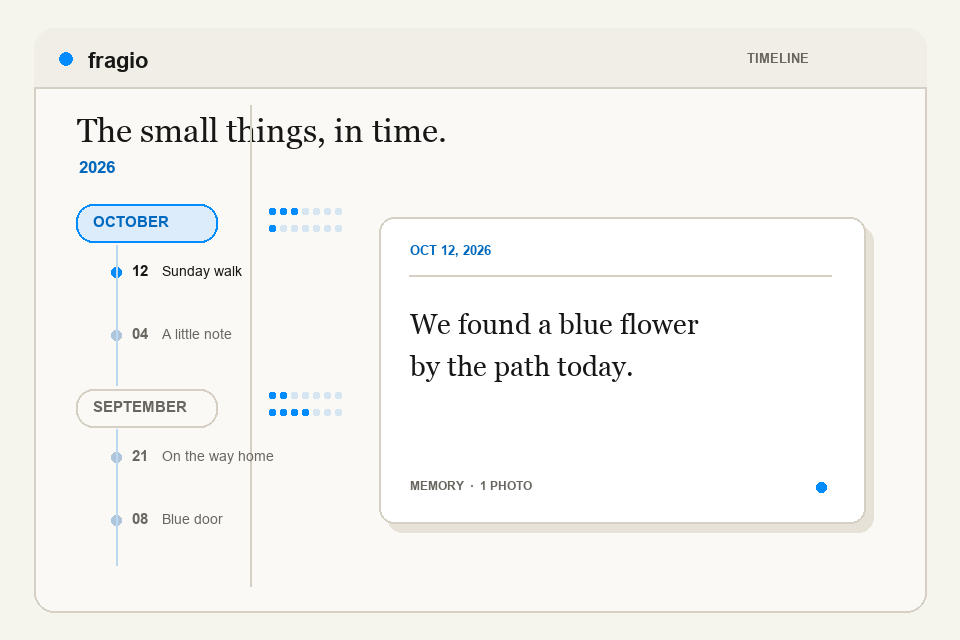
01 / Find your way back
Memories live in years and months. The weekly ruler marks days with entries, so a small moment stays easy to find later.
02 / Keep more than a photo
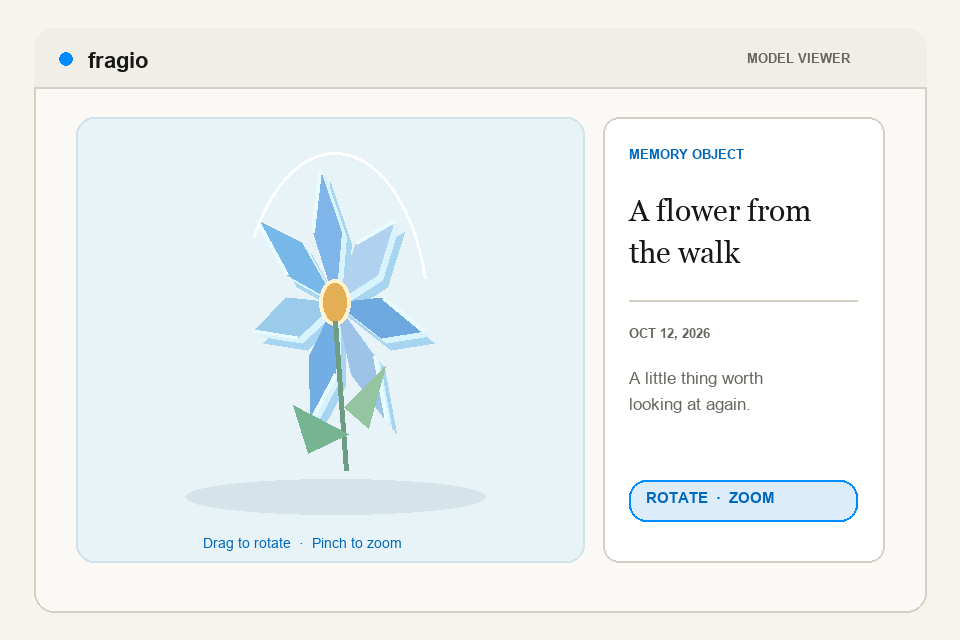
Capture a subject, make a sticker or create a 3D acrylic memory object. Open it from its Memory or the Model Gallery, then rotate and zoom to look closer.
More ways to keep a moment
Write quickly, add photos or Live Photos, and use the in-app camera when a moment needs an image.
Turn a Memory into a to-do, track steps, or add a reminder for a date that matters.
Add comments, choose colors and frames, and adjust your timeline and card appearance.
Memories are stored on your device. Choose whether to record location, use App Lock, and export a backup.
Sample content and visuals are illustrations of the iOS experience, not captures of personal memories.
Start with one
Website fragments are uploaded and publicly accessible. Please use a non-sensitive example. App memories stay on your device.